


Download Bitsoft360 – AI Trading Platform, Cryptocurrency Tools, Automated Trading
Overview
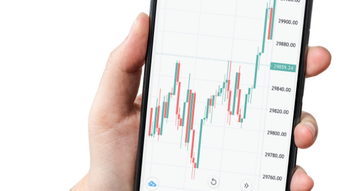
Bitsoft360 is a mobile-focused trading platform designed for users interested in cryptocurrency trading, leveraging artificial intelligence to enhance decision-making and execution. The software aims to streamline the trading process by integrating advanced technical analysis tools and automated trading functionalities. Its primary purpose is to assist traders in identifying profitable opportunities, managing risk, and executing trades efficiently through algorithm-driven strategies.
The platform is developed by Bitcoin Funnels LTD, a company whose public presence is limited to minimal details on its website, including only an address and contact number in the footer. No further information about the organization’s background, leadership, or regulatory standing is currently available. The app is intended for individuals seeking a technology-driven approach to cryptocurrency investment, particularly those who prefer automated execution and risk mitigation tools.
Real-world use cases include real-time market monitoring, automated position management, and the application of stop-loss and copy-trading mechanisms. The platform is currently accessible via the Google Play Store and Apple App Store, with no official desktop version available at this time. As such, it is not classified as a desktop software product.
Users are required to register with personal details and fund their accounts with a minimum deposit of USD250 to begin trading. Due to the high-risk nature of cryptocurrency markets, users are advised to conduct independent research before engaging with the platform.
Key Features & Capabilities
- AI-Powered Technical Analysis: Utilizes artificial intelligence to analyze market trends and generate trading signals, helping users make informed decisions based on real-time data.
- Automated Trading Algorithms: Executes trades automatically based on user-defined criteria, including entry, exit, and risk parameters, reducing emotional decision-making.
- Copy Trading Integration: Allows users to replicate the trades of experienced traders, enabling beginners to follow proven strategies without direct market involvement.
- Stop-Loss and Profit Target Management: Automatically closes positions when predefined loss or profit thresholds are reached, helping to minimize financial exposure.
- Multi-Channel Deposit Options: Supports funding through Visa, MasterCard, and GPay, providing flexibility in account financing.
These features are designed to support both novice and experienced traders in navigating the volatility of cryptocurrency markets. For example, a user can set a stop-loss at 5% below their entry price, allowing the system to close a losing position before significant losses occur. Similarly, automated trading enables users to maintain active market participation even when not actively monitoring the platform.
The integration of AI enhances pattern recognition and predictive analysis, potentially improving trade accuracy. However, the developer did not provide detailed information on the specific AI models or data sources used. Performance outcomes are influenced by market conditions and user-defined settings, and the system does not guarantee profits.
The platform’s functionality is limited to mobile devices, and no desktop application is currently available.
User Interface, Workflow & Performance
Bitsoft360 is designed as a mobile application, with a user interface optimized for touch-based navigation on smartphones and tablets. The layout appears to prioritize accessibility, with key functions such as portfolio tracking, trade execution, and settings located within intuitive menus. Navigation is likely structured around tabs or a bottom navigation bar, typical of modern trading apps.
Users can expect a workflow that begins with registration, account funding, and the configuration of trading parameters before enabling automated strategies. The app’s performance is expected to be responsive under normal conditions, though exact details on CPU, RAM, or battery usage were not specified by the developer. No information was provided about crash rates, update frequency, or background processing behavior.
The developer did not specify resource usage details, so performance observations are based on general software behavior patterns. Stability during prolonged use and high-frequency trading scenarios remains unclear. As the platform operates primarily on mobile networks, connectivity can impact trade execution speed.
Users should ensure a stable internet connection to avoid delays. The app’s interface is likely designed to be accessible to users with varying levels of trading experience, but the absence of a desktop version may limit advanced users who prefer larger screens and more complex tools.
Compatibility & System Requirements
Bitsoft360 is currently available for mobile operating systems, specifically Android and iOS, as confirmed by its presence on the Google Play Store and Apple App Store. The developer did not provide specific information regarding supported OS versions, minimum device requirements, or installation size. Compatibility with older devices or low-end hardware is not documented.
The platform is not available as a desktop application, and no version for Windows, Mac, or Linux has been released. Users seeking a PC-based trading solution will need to consider alternative platforms. The developer did not specify system requirements, including processor speed, RAM, or storage capacity.
Installation size and update mechanisms were not disclosed. Users should verify compatibility with their devices through official app store listings. Platform compatibility information is limited to mobile availability, and no official support for desktop environments is currently in place.
Pros and Cons
Pros
- AI-driven technical analysis for data-informed trading decisions
- Automated trading reduces manual effort and emotional bias
- Copy trading feature enables learning from experienced traders
- Stop-loss and profit-target tools help manage risk exposure
- Multiple payment options for quick account funding
Cons
- No desktop version available; limited to mobile devices
- Minimal public information about the developer, Bitcoin Funnels LTD
- Requires a minimum deposit of USD250 to begin trading
- Platform lacks an About Us page or detailed founder information
- High-risk nature of cryptocurrency trading not mitigated by the software
FAQ Section
Is Bitsoft360 available for desktop use?
Currently, Bitsoft360 is only available as a mobile application on the Google Play Store and Apple App Store. There is no official desktop version for Windows, Mac, or Linux.
Is Bitsoft360 safe to use?
As with any trading platform, users should exercise caution. The developer did not provide details about security certifications, encryption standards, or regulatory compliance. It is recommended to conduct independent research before using the platform.
How do I update Bitsoft360?
Updates are managed through the respective app stores—Google Play Store for Android and Apple App Store for iOS. Users should ensure their devices are set to receive automatic updates.
What type of license does Bitsoft360 use?
The licensing model is not publicly disclosed. The app is offered as a free download, but users must fund their accounts with a minimum of USD250 to begin trading.
Can I use Bitsoft360 offline?
Due to its reliance on real-time market data and automated execution, Bitsoft360 requires an active internet connection. Offline usage is not supported.
Final Thoughts
Bitsoft360 presents a mobile-first approach to cryptocurrency trading, combining AI-powered analysis with automated execution and risk management tools. Its focus on user-defined parameters, copy trading, and stop-loss mechanisms makes it a potentially useful tool for traders seeking efficiency and structure in volatile markets. However, the lack of a desktop version, limited transparency about the developer, and the high-risk nature of trading are significant considerations.
While the platform offers modern features tailored to mobile users, the absence of detailed system specifications and regulatory information may deter cautious investors. The requirement of a USD250 minimum deposit adds a financial barrier to entry. For users already invested in mobile trading and comfortable with the associated risks, Bitsoft360 may offer a streamlined experience.
Nevertheless, thorough due diligence is essential before committing funds. Download Bitsoft360 now to explore its automated trading capabilities.







